Chapter 6: What is a 3D Cursor For?
Origin point
Today, you will learn what a 3D cursor is and how to use it.
To better understand the 3D cursor, I will first explain what an origin point is in Blender.
This small orange dot is called the origin point in Blender.
It is located in the center of the object geometry.
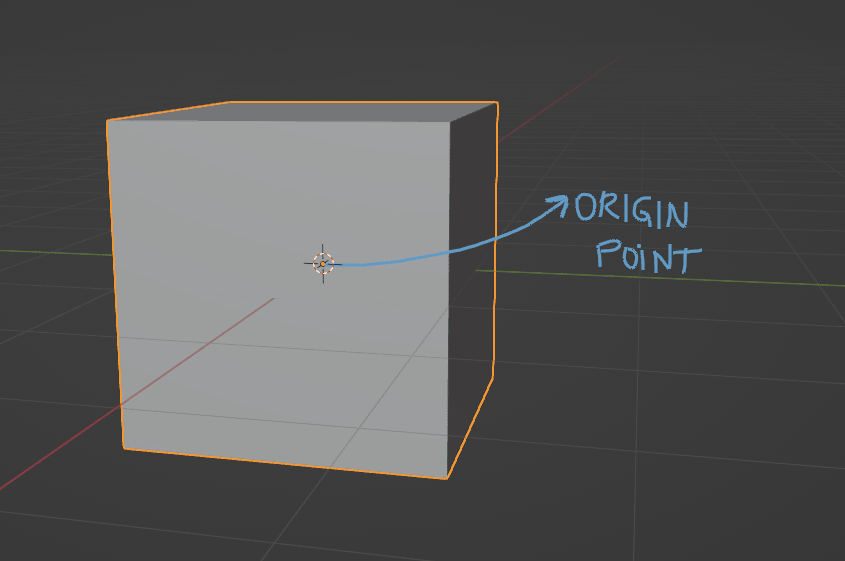
You can make all transforms (move, rotate, scale) around the origin, but you can also change the origin point.
If you want to change the origin point, go to object —> set origin —> and choose one of the options below.
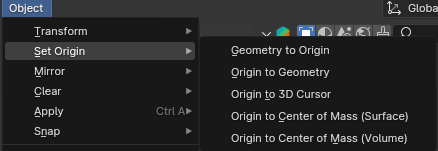
Geometry to Origin - move object geometry to object origin.
Origin to Geometry - calculate the center of geometry based on the current pivot point (median, otherwise bounding box).
Origin to 3D cursor - move object origin to the position of the 3D cursor.
Origin to Center of Mass (Surface) - calculate the center of mass from the surface area.
Origin to Center of Mass (Volume) - calculate the center of mass from the volume (must be manifold geometry with consistent normals).
If you don’t understand this yet, don’t worry. I’ll show examples and explain everything later.
For now, just know what kinds of options are available.
3D cursor
This is a 3D cursor, a point in space that has both a location and a rotation.
The left arrow is pointing to where you can activate it.
The right arrow is pointing to where it is currently located.
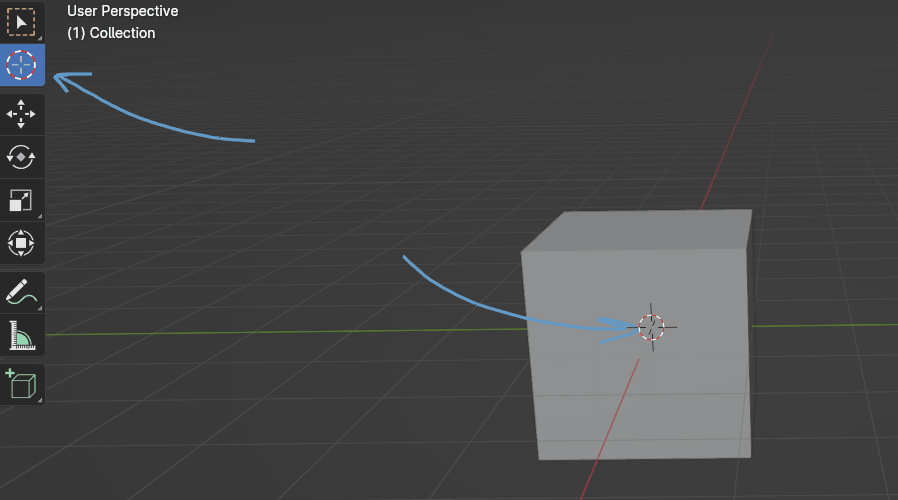
When you activate the 3D cursor, you are moving it around the scene by clicking the LMB.
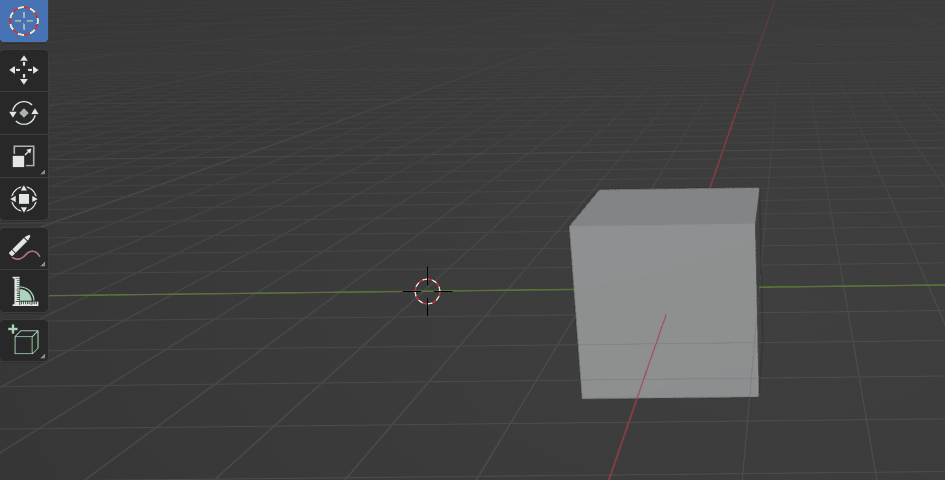
When the 3D cursor is not activated, you can still move it around the scene by pressing and holding “SHIFT” and clicking RMB at the same time.
Now, if you are wondering why you should move a 3D cursor, here is one of the examples.
We have a scene, and it contains the default cube. If we want to add another cube (or any other object) in a different place, we just need to move the 3D cursor to that location.
But how do we add a new object?
I guess it’s finally time to learn that — but we’ll do it in the next chapter.